Laravel AI
Adding AI to an existing Laravel app: version, data and cost checks
You need Laravel 12 or 13 on PHP 8.3 or later. You also need answers to three questions no package can give you: what data may leave, what the feature costs per month, and how you will know it works.
By itmarkerz Technologies. Updated 30 October 2026.
How to use this page
The Laravel AI SDK documentation tells you how to write an agent. It can’t tell you whether your application is ready for one. This page is the step before: fourteen checks, each with the command or question that settles it, what passing looks like, and what to do if you fail.
Work through it with whoever owns the application and whoever owns the data. Most of it takes an afternoon. A failed check isn’t bad news; it is a cheaper way to find out than discovering it halfway through a build.
The readiness checklist
| Check | How to find out | Ready when | If not |
|---|---|---|---|
| 1. Laravel version | composer show laravel/framework | 12.62 or later, or 13.15 or later | Update the minor release, or upgrade the major |
| 2. PHP version | php -v | 8.3 or later in the CLI, web and queue processes | Upgrade PHP first; it can often move before the framework |
| 3. Package conflicts | composer why-not laravel/ai | No output blocking the install | Update, fork or replace whatever is holding it back |
| 4. Queue workers | php artisan queue:monitor default | A real driver and supervised workers | Set up queues before any slow model call goes live |
| 5. Job timeouts | Compare worker --timeout with retry_after | retry_after is longer than the timeout | Fix it, or a slow call can run twice |
| 6. Streaming path | Trace the response through proxy and CDN | No buffering on the streaming route | Use queue() and notify, or change the buffering rule |
| 7. Data map | List every field that would reach a prompt | Each field has an owner’s yes or no | Remove the field, mask it or self-host the model |
| 8. Provider terms | Read the provider’s data and retention terms | They fit your customer contracts | Pick another provider or an Ollama-hosted model |
| 9. Authorisation | Ask which user each tool runs as | Tools enforce your existing policies in code | Pass the user in and check policies inside handle() |
| 10. Search database | php artisan db:show | PostgreSQL with pgvector, MariaDB 11.7+ or MongoDB | Use full-text plus reranking, or a hosted vector store |
| 11. Examples to judge against | Collect real cases with known right answers | A few dozen, including awkward ones | Don’t build yet; you have no way to tell if it works |
| 12. Automated tests | php artisan test | Tests run in CI and can fake the provider | Add tests around the flow the agent will touch |
| 13. Cost tracking | Can you log usage per customer? | Token counts stored against tenant and feature | Add agent middleware before release, not after the invoice |
| 14. Human approval | List every action that changes data | Anything irreversible needs a person | Make those tools Approvable |
Checks 1 to 3: versions
The laravel/ai Packagist entry lists php: ^8.3 and illuminate/*: ^12.0|^13.0. Less obvious is illuminate/json-schema: ^12.62|^13.15, which means being “on Laravel 12” may not be enough. Check the minor version too.
php -v
composer show laravel/framework | grep versions
composer why-not laravel/ai
See also which Laravel version the AI SDK needs. The last command is the useful one. It names the exact packages holding you back, which is usually a better conversation starter than a version number. Remember that PHP may differ between your shell, PHP-FPM and queue workers, and queue workers are where most agent calls will run.
The two Laravel releases the SDK supports have these support windows:
| Laravel | PHP | Bug fixes until | Security fixes until |
|---|---|---|---|
| 13 | 8.3–8.5 | Q3 2027 | March 17, 2028 |
| 12 | 8.2–8.5 | August 13, 2026 | February 24, 2027 |
If you are on Laravel 11 or older, AI isn’t your first project. Our upgrade service is priced $799–$2,999+ in USD by application size, invoiced in USD, GBP, EUR or INR, with a fixed quote after a free assessment. Or use the upgrade checklist and do it yourselves. If you are on Laravel 12, compare the dates above with how long your feature will take to build before deciding whether to move to 13 first.
Checks 4 to 6: where the calls will run
A model call can take far longer than anything else in your request cycle. The SDK lets you pass a timeout per call and has a queue() method with then and catch callbacks. Use it for anything a person isn’t waiting on. That makes your queue setup part of the feature.
Laravel’s queue documentation warns that retry_after must be longer than the worker timeout. If it isn’t, a job still running can be picked up again by another worker. With a paid model call, that means paying twice. With a tool that changes data, it may mean doing the action twice.
Streaming has a different failure. The SDK can return a stream directly from a route, but proxies and CDNs often buffer responses, and the reply then arrives in one lump at the end. Test the whole path through production-like infrastructure, not only on a laptop. Each open stream also holds a PHP worker for its full length, so check your worker count against how many people might be waiting at once.
Checks 7 to 9: data and permissions
Write down every field that could reach a prompt. Don’t stop at the fields you plan to send. Include what a tool can return, because tool results go back to the model, and what is in any attachment. For each field, get a yes or no from whoever is responsible for that data. Names, health information, payment details and anything covered by a customer contract deserve the slowest answer.
The SDK’s conversation feature stores history in your database, in agent_conversations and agent_conversation_messages. That is convenient, and also means prompts now live in a new place. Include those tables in your retention policy, your backups and any data deletion process.
Permissions are the check people skip. An instruction telling a model “only show this user their own orders” is not access control. Anything in a prompt, a document or a tool result can try to change what the model does. Put the limit in the tool: pass the user into the agent, check your existing policies in handle(), and scope every query. A tool that can only see one customer’s records can’t leak another’s, whatever the model is told.
Then look at actions. The SDK’s Approvable contract pauses a run until a person approves, and needsApproval() can decide case by case. Refunds, deletions and anything sent to a customer are obvious candidates. Read-only lookups usually aren’t.
Check 10: do you need vectors at all?
Laravel’s search documentation offers several routes, and the cheapest one that works is the right one.
| Option | Needs | Fits when |
|---|---|---|
whereFullText | MariaDB, MySQL or PostgreSQL full-text index | People search with the words in the document |
| Full-text, then rerank | A reranking provider | Keywords find candidates but the order is poor |
whereVectorSimilarTo | PostgreSQL with pgvector, MariaDB 11.7+, or MongoDB; an embedding provider | People describe things in different words from the document |
| Provider vector store | Stores::create() and the FileSearch tool | The content is files, and they may live with the provider |
If you are on MySQL and semantic search is the only reason to change database, try full-text with reranking first. We cover the PostgreSQL route in semantic search with Laravel 13.
Checks 11 and 12: knowing whether it works
Before writing the agent, collect real cases where you know the right answer: support tickets with the category a good agent would give them, documents with the fields a person extracted, questions with the correct source. Include the awkward ones. This set is how you compare models, and how you find out whether a prompt change helped or hurt. If nobody can agree on the right answers, the workflow isn’t ready to automate.
The SDK’s test support covers a different question: whether your code behaves. Calling fake() on an agent class returns set responses, assertPrompted() checks what was sent, and preventStrayPrompts() fails the test if an agent is called without a fake. Fakes can generate output from a structured schema, too. These tests run fast and cost nothing, but they say nothing about the quality of a real model’s answer. You need both.
Check 13: estimating cost
Providers change their prices often, so we don’t quote any here. The arithmetic doesn’t change: model calls × (input tokens × input price + output tokens × output price) ÷ one million. Enter your own figures. Nothing leaves your browser.
Measure rather than guess. Every SDK response has a usage property, so run a sample of your real examples and read $response->usage->inputTokens and outputTokens. Four things tend to surprise people:
- Tool loops. An agent that calls tools makes several model calls per run, and the history is sent again each time. Set
#[MaxSteps]deliberately. - Retrieved context. Each document you add to a prompt is input tokens on every call.
- Failover. A backup provider has its own prices. Failover triggers on rate limits, overload and insufficient credits, not ordinary errors, so check what your budget assumes.
- Embedding the back catalogue. Embedding existing content is a one-off cost that scales with the size of your data. Re-embedding later, if you change model, repeats it.
The SDK offers ways to reduce the bill: prompt caching (automatic on some providers; #[CacheInstructions] and #[CacheToolDefinitions] on Anthropic and Bedrock), an embeddings cache, #[MaxTokens], and #[UseCheapestModel] for simple tasks. Log usage per customer and per feature from day one, because a shared monthly invoice won’t tell you which one to fix.
What to build first
Pick one task with a visible cost today and a safe failure. Sorting incoming tickets is a good first project: output is a category, a person can correct it, and a wrong answer costs a few seconds. Extracting fields from documents into a review screen is similar.
Don’t use a model for anything your code can already calculate. Invoice totals, tax and permissions should stay in ordinary PHP where a test can pin them down. A customer-facing chatbot with write access is a poor first project, whatever the demo looks like.
When you are ready, our Laravel AI development service starts the same way: one workflow, proved on your examples before you spend more.
A Laravel 13 reference, not an AI project
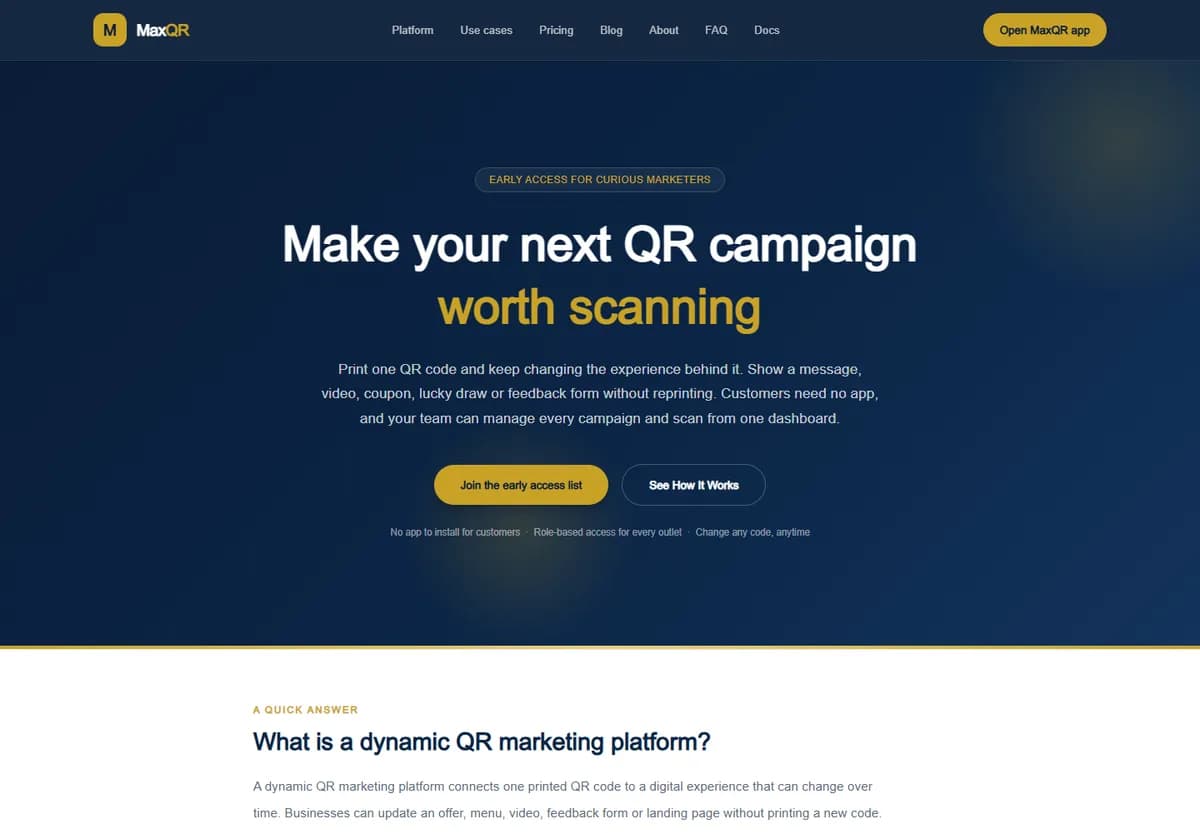
A dynamic QR marketing platform for a client: one printed code whose campaign can change without reprinting, with 14 campaign types, tracked coupon redemption, analytics and multi-outlet roles. Laravel 13 and Next.js.
- Sector
- Marketing & advertising
- Stack
- Laravel 13, Next.js
- Engagement
- Client product, about 2–3 months
Questions
Which Laravel and PHP versions does the Laravel AI SDK need?
The laravel/ai package (v1.3.0 on Packagist at the time of writing) requires PHP 8.3 and Laravel 12 or 13. It also requires illuminate/json-schema ^12.62 or ^13.15, so an old minor release of 12 or 13 needs updating first.
Can we use vector search on MySQL?
Laravel's vector query methods are documented for PostgreSQL with pgvector, MariaDB 11.7 or later, and MongoDB through the Laravel MongoDB package. MySQL isn't on that list. On MySQL you can still use whereFullText with reranking, or a provider-hosted vector store.
Does using the SDK send our data to a third party?
With a hosted provider, whatever is in the prompt, attachments and tool results goes to that provider. The SDK also supports Ollama and OpenAI-compatible endpoints if you run models yourself. Which of these is acceptable depends on your contracts and the data involved, so settle it before building.
How accurate is the cost estimate on this page?
It is arithmetic on figures you supply. The useful version uses token counts measured from your own prompts, which the SDK reports on every response, and the prices on your provider's current price list.
Have you built this for clients?
Most of our work is delivered under NDA, so many projects cannot be named. Our published portfolio doesn't include an AI project, so this page gives you checks you can run yourself rather than a story you can't verify.
More on Laravel AI
- Laravel AI SDK or Prism?What each package requires, and how to choose for an existing application.
- Semantic search on PostgreSQL with Laravel 13pgvector, the vector column, tenant scoping and when full-text is enough.
- Exposing your Laravel app over MCPWhat to expose first, how to authenticate it and how to test it.
Run these checks with us
Tell us the workflow you want to change and which Laravel version you are on. We will tell you what has to happen first, including when the honest answer is an upgrade.
We reply within one business day (IST).