Ghost CMS
Ghost vs WordPress for a company blog or newsletter
Choose Ghost if the blog or newsletter is the point, and you want publishing, members and email in one place. Choose WordPress if the site has to do other things, or your company already runs on it.
By itmarkerz Technologies. Updated 30 October 2026.
Features side by side
| Ghost | WordPress | |
|---|---|---|
| Licence | Open source, MIT | Open source, GPL |
| Main job | Publishing, with members and email | General-purpose CMS |
| Newsletters | Built in | Plugin or external service |
| Memberships and paid tiers | Built in, through Stripe | Plugin |
| Custom content types | No: posts, pages and tags. Ghost’s importer doesn’t convert custom post types | Yes |
| Extensions | Integrations and themes. No plugins inside the CMS | Very large plugin and theme directories |
| Shop | Not its purpose | WooCommerce |
| SEO basics | Built in | Usually a plugin |
| Templates | Handlebars | PHP and block themes |
| Server stack | Node.js 22, MySQL 8, NGINX, Ubuntu LTS (for official support) | PHP 8.3+, MySQL 8.0+ or MariaDB 10.11+, Apache or Nginx |
| Managed hosting | Ghost(Pro), from Ghost itself | Many hosts |
| Our published care plan | None: quoted by scope | Premium USD 89/month, Enterprise USD 159/month |
Sources: Ghost pricing, Ghost hosting docs, Ghost’s WordPress migration guide, Ghost on GitHub and WordPress requirements, checked on 30 October 2026.
What Ghost(Pro) costs by audience size
Ghost prices by the number of members, meaning anyone with a free or paid account, and that includes newsletter subscribers. Its pricing page shows only one number at a time, behind a slider, so we have laid the figures out in one table. Yearly billing is stated as the total for the year.
| Members up to | Starter | Publisher | Business |
|---|---|---|---|
| 1,000 | $18/mo, or $180/yr | $35/mo, or $348/yr | $239/mo, or $2,388/yr |
| 2,500 | Not offered | $55/mo, or $552/yr | $239/mo, or $2,388/yr |
| 5,000 | Not offered | $75/mo, or $756/yr | $239/mo, or $2,388/yr |
| 10,000 | Not offered | $105/mo, or $1,056/yr | $239/mo, or $2,388/yr |
| 25,000 | Not offered | $169/mo, or $1,692/yr | $319/mo, or $3,192/yr |
| 50,000 | Not offered | $249/mo, or $2,496/yr | $399/mo, or $3,996/yr |
| 100,000 | Not offered | $329/mo, or $3,288/yr | $479/mo, or $4,788/yr |
From ghost.org/pricing and the price data behind its slider, checked on 30 October 2026. Over 100,000 members, and on the Custom plan, you contact Ghost. Starter is limited to 1,000 members.
What each plan allows
| Starter | Publisher | Business | |
|---|---|---|---|
| Staff users | 1 | 3 | 15 |
| Custom and Marketplace themes | No | Yes | Yes |
| Newsletters | 1 | 3 | 10 |
| Custom sending domain | No | Yes | Yes |
| Paid subscriptions | No | Yes, 3 tiers | Yes, 10 tiers |
| Ghost’s transaction fee | Not applicable | 0% | 0% |
| Integrations, Admin API and webhooks | No | Yes | Yes |
| File upload limit | 5 MB | 100 MB | 250 MB |
For most companies, Starter is too limited. A company blog usually needs more than one author, its own theme, a sender address on the company domain, and a connection to a CRM. Those all begin at Publisher. Payment processor fees still apply if you sell subscriptions, because Ghost’s 0% covers only Ghost’s own fee.
Reading the price table
Three things in those numbers are easy to miss.
- Yearly billing saves real money. A newsletter with 5,000 members on Publisher pays $75 a month on monthly billing, which is $900 a year, against $756 on yearly billing.
- Business is flat up to 10,000 members. It costs $2,388 a year at 1,000 members and the same at 10,000. At 10,000, Publisher is still less than half that, at $1,056, so choose Business for its limits and support, not to save on members.
- Writers don’t always count as staff. Ghost counts Author, Editor, Administrator and Owner roles towards staff users. Contributors are free. So several occasional writers can draft as Contributors on Publisher while one editor publishes, which may keep you away from the jump to Business for a while.
Before you commit, count everyone who will sign up, including free subscribers. A company newsletter that imports a large contact list moves up the price table on day one, whether or not those people read it.
Costs on the other routes
Self-hosted Ghost. There’s no licence fee, but Ghost’s hosting docs list “from” prices for what you’d add to match Ghost(Pro): hosting $10, CDN and firewall $20, email delivery $15, analytics $10, backups $5 and image editing $12 a month. That comes to $72 a month if you buy all of them at those starting prices. These are Ghost’s figures, and Ghost is selling the alternative. Ghost(Pro) vs self-hosted pricing goes further.
WordPress. The software is free. Hosting and any paid plugins vary so widely that a figure from us would be a guess, so take your real invoices, or ask for quotes. Email is a separate decision, either a newsletter plugin plus sending service or an external platform, and that platform’s price will usually rise with your list too. If you want us to handle upkeep, our WordPress care plans are published: Premium at USD 89/month and Enterprise at USD 159/month, invoiced in the customer's local currency.
Our time. Ghost work is quoted once we have seen your content and design. We don’t publish a price band for it, and we won’t invent one here.
Three common situations
A company blog on the main site
If your main site is already on WordPress, adding a blog there is usually simplest: one login, one design system, one place for redirects. Moving only the blog to Ghost gives you a second platform to run, and usually a subdomain such as blog.example.com, because a subdirectory is the expensive option above. If your marketing site is on something else and the blog is a separate thing anyway, Ghost is a good fit.
A B2B newsletter with a modest list
This is where Ghost does well. Writing, sign-up, sending, member labels and engagement data are in one tool, and every email also becomes a web page that can rank. With WordPress you can get the same result from several parts, and you have to keep them working together. For setup detail, see Ghost newsletter setup for B2B.
A publication with paid subscribers
Ghost was built for this, and Publisher’s 0% fee matters as revenue grows. Look elsewhere if you need a payment provider other than Stripe, or subscription rules that a plugin handles and Ghost doesn’t.
When to stay away from Ghost
- You rely on custom content types: case studies, events or staff directories with their own fields.
- The site is mainly structured pages, or a shop, rather than articles.
- You need many plugins that talk to one another inside the CMS.
- Your team has no one to own a Node.js stack, and Ghost(Pro) doesn’t fit your data or budget requirements.
When to stay away from WordPress
- You’re assembling a membership plugin, a newsletter plugin and a sending service, and the joins keep breaking.
- Publishing is the only job, and nobody wants to manage plugin updates.
- You don’t want to think about servers, and you want your CMS vendor to host it.
Getting your data back out
It is worth asking this of any platform before you start. With Ghost, Ghost’s pricing page says members can be exported as a CSV at any time, and the software is open source, so a Ghost(Pro) site can in principle move to your own server, keeping the same features. WordPress is similar: the export tool produces an XML file, and you can take the database and files to any host that runs PHP.
The harder part of leaving either platform is what sits around the content. On Ghost, that means your theme, your member tiers and your Stripe connection. On WordPress, it means whatever your plugins store in their own format, which an export can leave behind. Neither is a reason to avoid the platform, but it does belong in the decision if you expect to outgrow what you choose.
Six questions that usually settle it
- Does the site have to do anything other than publish articles and send email?
- Do you rely on custom content types, or could everything be a post or a page with a tag?
- Is your main site already on WordPress, and does the blog need to sit under its domain path?
- How many contacts will be members on day one, and at what plan does that put you?
- Who will fix things when they break: Ghost, your hosting company, your team or a supplier?
- Will you sell subscriptions, and is Stripe acceptable if so?
If the first three answers are no, no and no, Ghost is likely to be simpler. If any of them is yes, WordPress deserves a closer look, because you would otherwise be adding a second system or working around a limit from the first day.
If you’re moving
The move from WordPress to Ghost is well documented, but it has limits. Ghost’s migrator takes an XML export of up to 100 MB and 2,500 posts, and custom post types don’t come across. Migrate WordPress to Ghost, step by step has the order of work.
We work on both, so our Ghost development and WordPress development services don’t depend on your answer. Tell us about your site and we will say which we’d choose. Most of our work is delivered under NDA, so many projects cannot be named. The projects below aren’t Ghost builds. They show the parts of the work that carry over: content on a headless CMS behind Next.js, and fast Next.js sites with search tooling set up from the start.
The closest work we can show
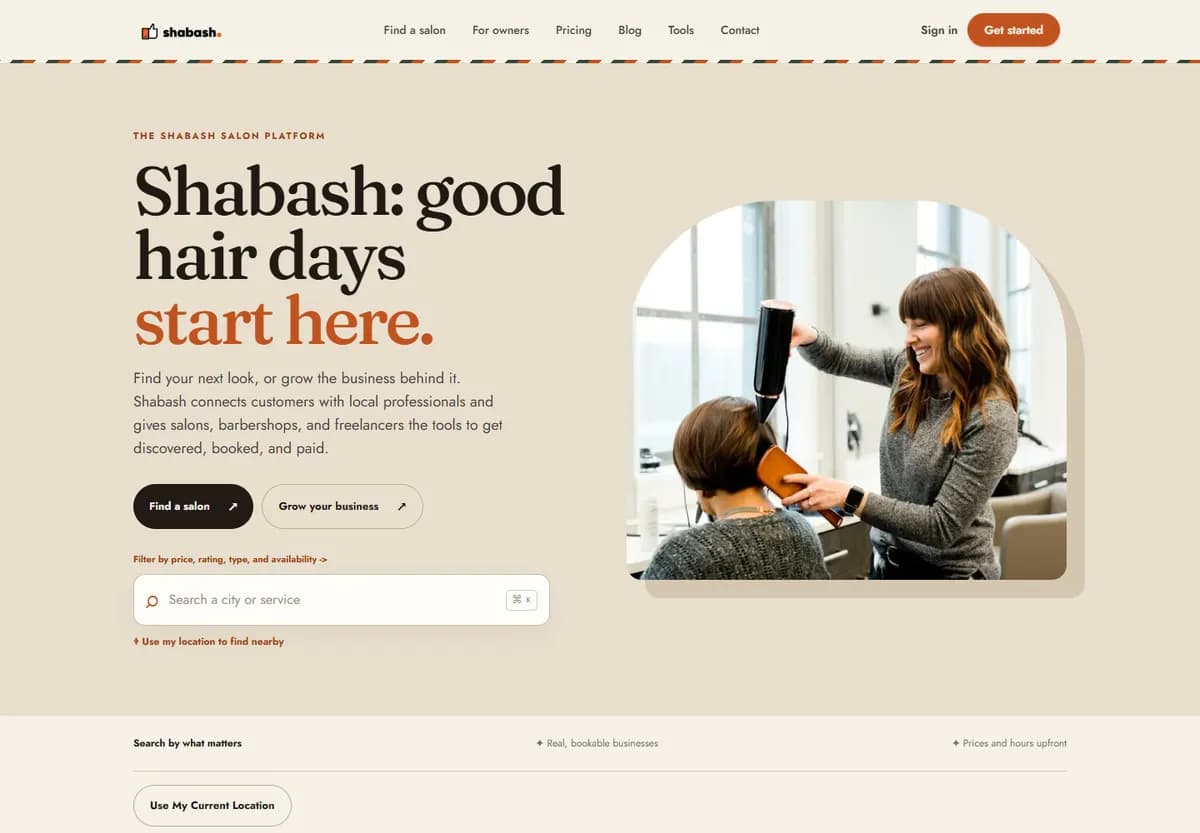
Shabash: free salon and barbershop management software we build and market for a client — customer and appointment management, public booking widget and API, mobile app, programmatic salon directory and content on Next.js with headless WordPress.
- Sector
- Beauty & personal services
- Region
- India
- Stack
- Laravel, Next.js, React Native, Headless WordPress
- Engagement
- Client product, build and marketing, early-access phase
An Aboriginal-owned facilities, property and cleaning services business in Western Australia. Next.js website: enquiry capture with export and email, Google Business Profile, GA4 and Search Console, ongoing local SEO.
- Sector
- Cleaning & facility services
- Region
- Australia
- Stack
- Next.js
- Engagement
- Website build and ongoing SEO
Next.js lead-generation website for a Perth cleaning-services company: quote capture with export and email, Google Business Profile, GA4 and Search Console, ongoing local SEO.
- Sector
- Cleaning & facility services
- Region
- Australia
- Stack
- Next.js
- Engagement
- Website build and ongoing SEO


Questions
Is Ghost free?
The software is open source under the MIT licence, so you can self-host it without a licence fee. You then pay for the server, email delivery and anything else you need. Ghost(Pro), the managed service, is paid.
Can Ghost send newsletters without Mailchimp or another service?
Yes. Newsletters are built in. Ghost(Pro) plans include unlimited email sends with managed delivery. A self-hosted install has to use Mailgun for bulk sending, because Ghost's configuration docs say Mailgun is required for bulk mail.
Can Ghost run under example.com/blog?
Yes, but it takes more than other setups. Ghost's pricing page says all plans work on a root domain or subdomain, and that a subdirectory needs your own self-hosted reverse proxy. It describes this as a $50 per month add-on available only on Business and doesn't recommend it unless your team is comfortable with complex infrastructure.
Is Ghost better than WordPress for SEO?
Neither platform earns rankings by itself. Ghost includes meta tags, structured data, sitemaps and canonical URLs. WordPress usually gets these from an SEO plugin. What you publish, and how well you handle old URLs in a move, will matter more.
Can WordPress do paid memberships as well?
Yes, with plugins, and you get far more choice of payment provider and rules. On Ghost, memberships are built in and use Stripe, so there is less to assemble and less to choose.
Have you got a Ghost case study?
Not a published one. Most of our work is delivered under NDA, so many projects cannot be named. The projects on this page are the closest work we can show, and they aren't Ghost builds.
More on Ghost
- Migrate WordPress to Ghost, step by stepWhat the migrator carries over, plus members, redirects and go-live.
- Ghost(Pro) vs self-hosted Ghost: pricing and what you take onGhost's published figures, part by part, and who does the work on each route.
- Ghost newsletter setup for B2B: domain, list, segmentsSending domain, who you may email, labels, and connecting your CRM.
Not sure which suits your team?
Tell us what you publish, how many subscribers you have and who runs the site. We build on both, so we will say which we would choose.
We reply within one business day (IST).